
GuardPoint Insight
A clear, live view of what is happening across your site: access events as they happen, alarms that need attention, controllers that have gone offline, and the patterns behind the numbers. For GuardPoint10 and GuardPointXI access control.

Overview
GuardPoint Insight (GP Insight for short) is a desktop companion app for GuardPoint10 and GuardPointXI access control software. It gives security and facilities teams a clear, live view of what is happening across their site. It connects to GuardPoint10 through its API, read-only by default, so you can add it to an existing system without changing how the system is run.
Key features
Everything in one app, from the live picture to the longer term patterns.
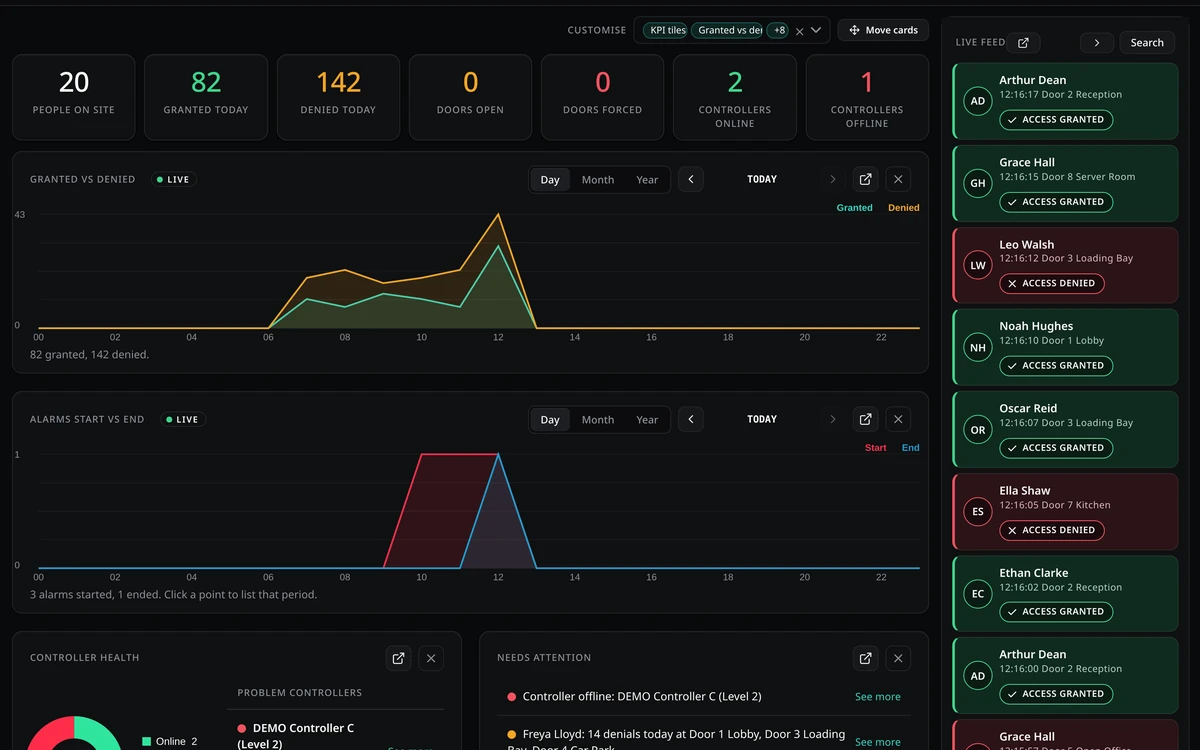
Live dashboard
A live feed of access events alongside live updating charts, so you can see activity across the site at a glance.

Alarms pinned in the live feed
Alarms appear at the top of the feed as red or amber cards with icons. Act straight from the card with Acknowledge or Lock down; Lock down asks you to confirm first.
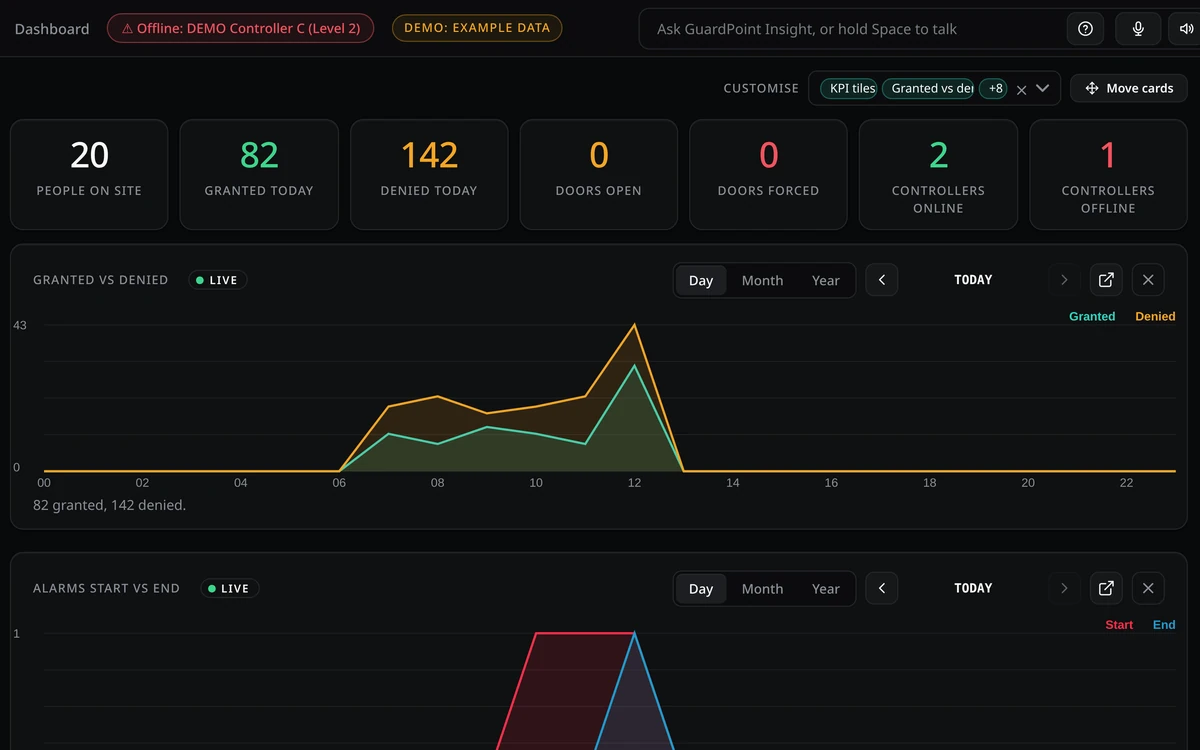
Offline controllers badge
Shows which controllers are offline, or "All controllers online" in green when everything is connected.
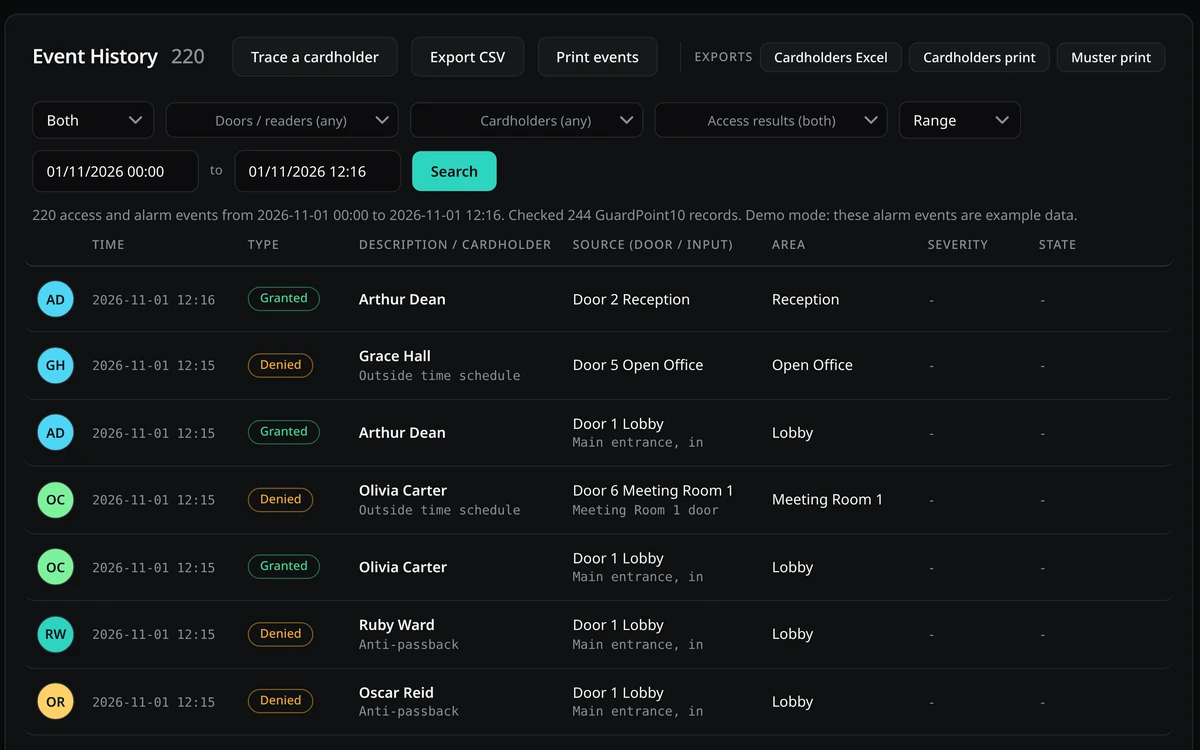
Event History
Choose Access events, Alarm events or Both, then export to CSV or print. Alarm reports include type, source and severity columns, and show only the data your GuardPoint system provides.
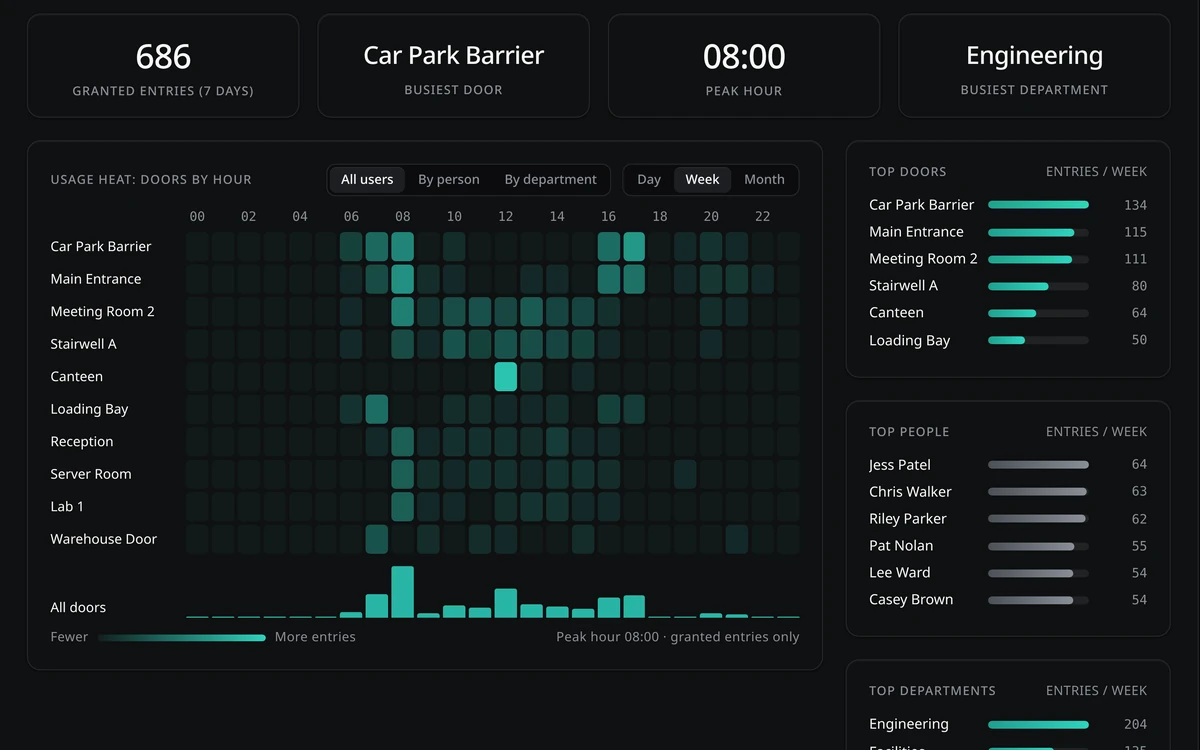
Insights
Activity heat map, overall and by person. Impossible travel detection. Denied access analysis. Out-of-hours activity against configurable working hours.
AI assistant
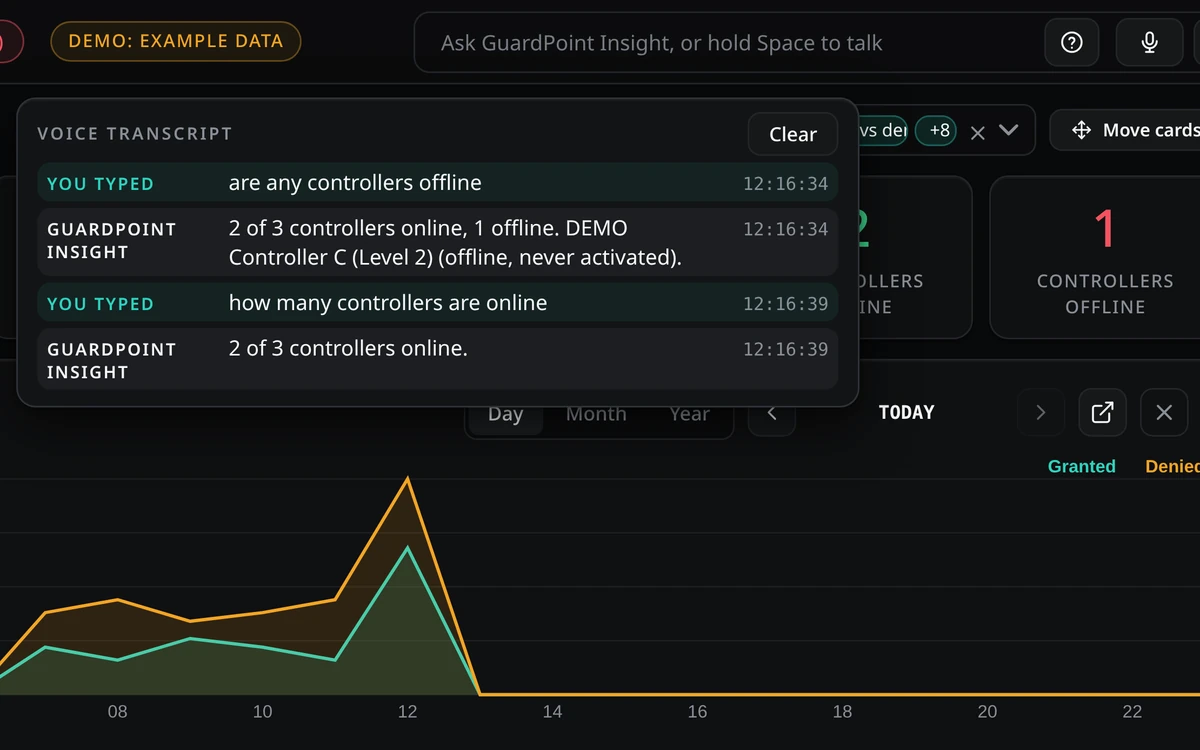
Ask questions about your system in plain language, with voice input, mute and a live transcript. When it does not know an answer it says so rather than guessing. It can work with a local AI model on your own network.
Also included: cardholder Area (where they were last seen) with export to Excel, pop-out windows to keep views on screen alongside the dashboard, a built-in help guide with "About this insight" notes on each tab, and a demo mode so you can explore with example data before connecting to a live system.
Requirements
Windows 10 or 11, 64-bit. The Microsoft Edge WebView2 runtime is usually already installed. No Python needed. A lightweight app that uses system fonts.
Requires the GuardPoint API module. Works with GuardPoint10 version 1.160 and above, and all versions of GuardPointXI.
Downloads
GuardPoint Insight is a pre-release product, so these documents are drafts for review and may change.
Product data sheet
Overview, key features and technical highlights for GuardPoint Insight. PDF, 2 pages.
Download data sheet (PDF)Installation guide
System requirements, how the app is installed and removed, first run, and troubleshooting. PDF, 3 pages.
Download installation guide (PDF)Pre-release product. Features and specifications may change. Screens show demo data only.